TL;DR Replacing crucial instructions with NOP can sometimes result in a bypass of software restrictions.
The long version is as follows. If you are a person who is interested in reverse engineering or exploit development, it would be safe to assume that you’ve heard of the amazing Corelan Team. Their exploit development tutorial here is a good starting point for anyone who wants to learn the basics of exploit development. I strongly recommend that you have a look at the tutorial before you continue.
The Corelan article shows exploitation of a stack based buffer overflow vulnerability in a software Easy RM to MP3 Converter. I went through the article a while ago and I installed the software on a VM for practice. Recently, I’ve been studying for OSCE and I decided to revisit the application on my VM. To my surprise, I could no longer use the application as the Trial period had expired.
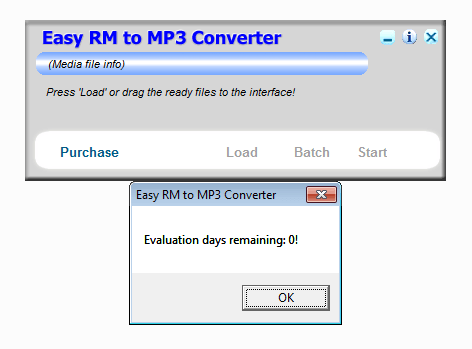
I had a few options of getting around it but I decided to punish myself by modifying the executable in a way that it bypasses the registration process and would allow me to use the app, for exploitation purposes.
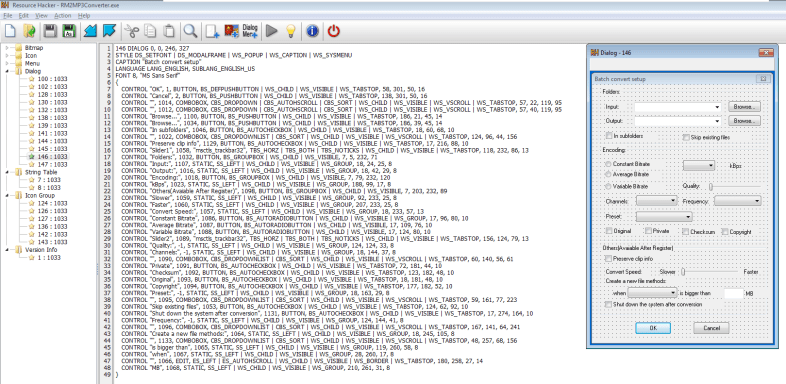
I loaded the binary in Resource Hacker to see if I could remove the Evaluation days remaining: 0! dialog box. Turns out, the message doesn’t show up as a dialog box in Resource Hacker which could mean that the alert is generated programmatically.
After taking a close look at the app, I realised my folly. By the time you see the popup, all the functions are disabled and the only option you get is to “Purchase” the software. The features are only loaded before the popup appears, or so it seemed.

After an hour of unfruitful attempts at stepping through the code to figure out where the features were loaded in the app, I decided to take a break and look at the problem from a different angle.
I searched for strings in the application and specifically looked for "Evaluation days remaining: 0!. It can be done by right clicking on the disassembler -> Search for -> All referenced text strings.


Good. We found the point where the string is pushed onto the stack.
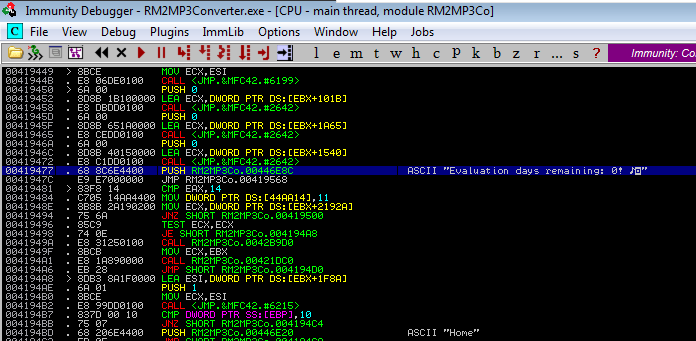
If you continue to step through the instructions from here on, you can see that the next instruction at 0041947C is JMP instruction to address 00419568.

Setting breakpoint here and stepping through the code didn’t present anything useful. We now JMP to the address 0043B1A0 where we reach to the end and by this point the “Purchase” feature had been loaded and all the other features were disabled. Now we know that we don’t want the application going down this path. The next logical step I could think of was to figure out “how did we get here?”. I started to analyse the instructions preceding this routine and figuring out the JMP instructions that led to this point.

Further analysis of instructions pointed me to this routine.

If you look closely, we reached this address 004193DA from address 00419359 which means that the CMP instruction preceding the JNZ did not return zero. Let’s set a breakpoint here and see what happened.
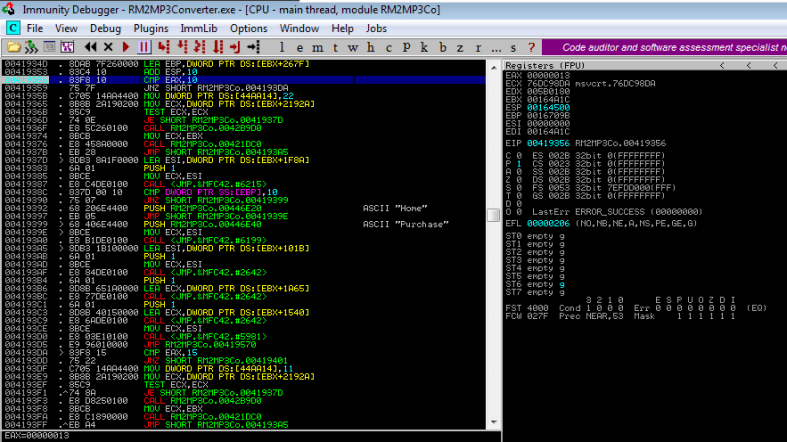
Ok, so we can see that EAX contains a value of 13 and hence, we end up in the “Purchase” routine where all the other features are disabled. Wonderful! Now we can do one of two things:
- Figure out how EAX got the value
13and modify those instructions. - Figure out what happens if we do not take the
SHORT JNZ.
I chose the second option. Let’s setup a breakpoint at the CMP
instruction and replace the JNZ instructions with NOP.
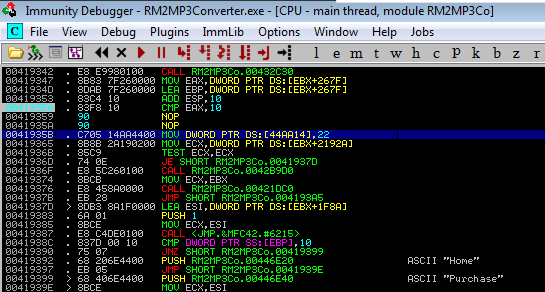
Replacing the JNZ with NOP will force the application to continue through the code; i.e. not take the JMP. Stepping through the code, you’ll see that we’re now in a different routine. After a few instructions, you’ll end up again in the application address space. To my surprise, you get to the part where the application now loads the other features.
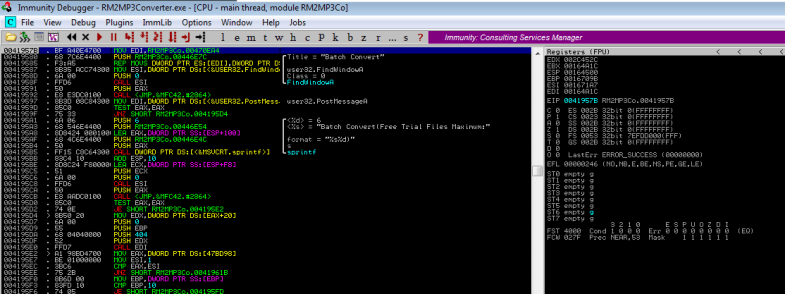
If you stop debugging at this point and let the application run, you’ll see that it runs fine now and you have full access. Wonderful! We bypassed the instruction at address 0043B1A0 and continued to load the other features.
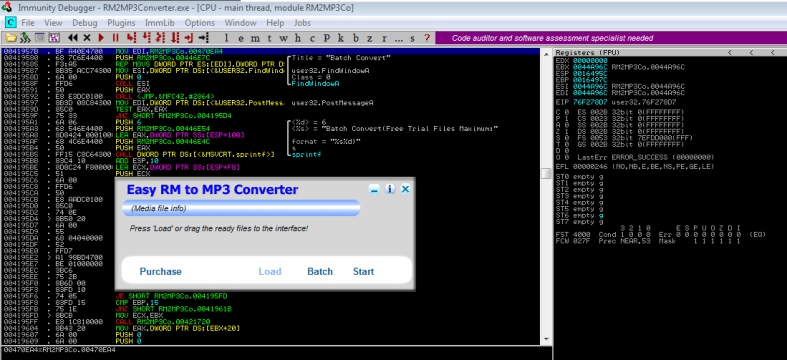
It looks like replacing the SHORT JNZ instruction at 00419359 did the trick. It’s time to make our changes permanent. You can do this by selecting the two NOP instructions in the disassembler -> right click -> Copy to executable -> Selection -> right click -> Save file. And now replace the RM2MP3Converter.exe with your modified executable and VOILA!
You now have a functioning application.
 vireniumk
wow!
LikeLike
neato
LikeLike